
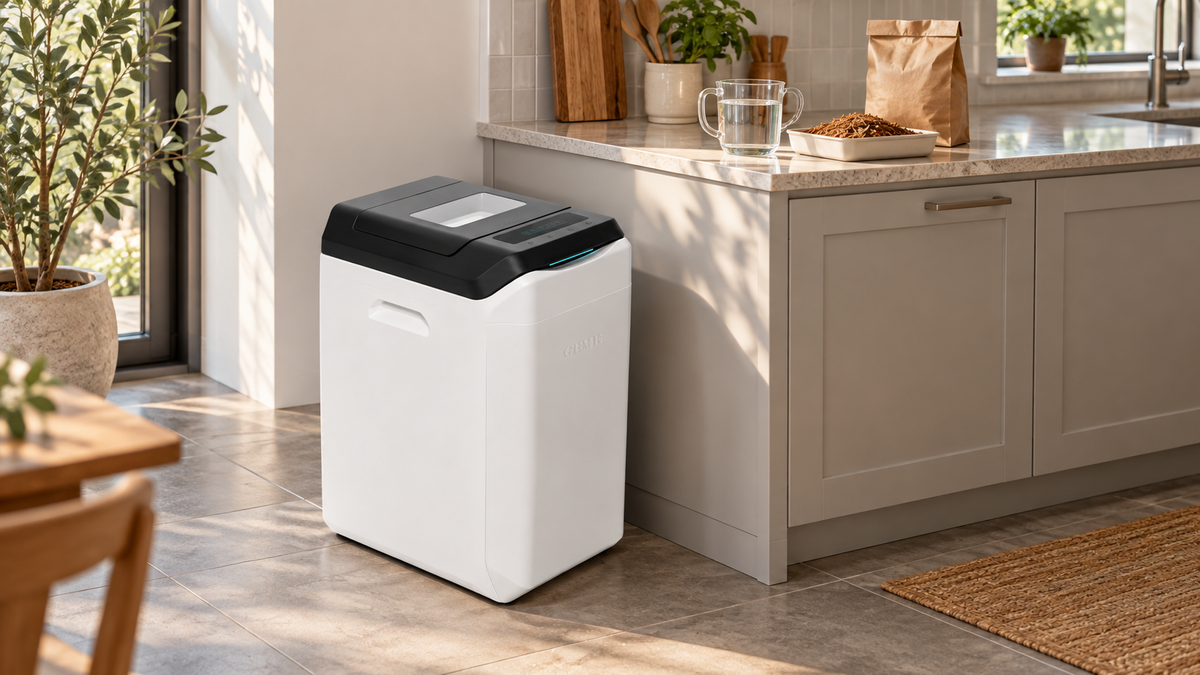
Microbial Composter Setup · Model-by-Model Activation
For a practical, ongoing indoor composting routine, GEME Terra 2 and GEME Pro are our recommended choices. Terra 2 adds adaptive control; Pro gives a busier kitchen more daily processing capacity. A good start means activating the included Kobold substrate correctly, then building a feeding routine around the bed’s response.
Reencle Prime and Gravity also use microbial processing. The useful startup comparison is specific: which starter goes in, how much water it needs, how long to leave it powered, and what to add first.
Quick Answer: What Changes at Startup?
Use the instructions for your exact model, then let the starter settle before adding food. GEME’s current online guide specifies 500 mL for Terra 2 and 800 mL for Pro, followed by a 6–8-hour powered activation window. Reencle’s current US help pages specify approximately 1.8 L for Prime and Gravity, with different wait times: 3–6 hours for Prime and 6–8 hours for Gravity.
After activation, begin with manageable additions and observe processing. Do not treat the advertised daily limit as the amount to pour in on day one.
Model instructions: GEME activation guide; Reencle Prime setup; Reencle Gravity setup.
This article covers the first week. For the broader buying decision, see the Reencle vs GEME Terra 2 comparison and our electric composter comparison hub.
1. Before Activation: Unpack, Identify and Place
Read the model label and the starter packaging before opening either bag. A guide for Reencle Prime is not automatically the right guide for Gravity; GEME Pro and Reencle Gravity Pro are different products.
Identify the unit
Confirm the brand, model, regional power specification and supplied instructions. Keep the model name and starter label available if you need setup support.
Check the contents
Remove transport packaging and locate the complete starter. GEME Kobold comes in a separate included bag; it is not a preloaded, ready-to-feed bed.
Plan the first feeds
Set aside a small amount of suitable scraps. Keep the rest on your existing collection or disposal route while the new bed gets established.
GEME Belongs on the Floor With Airflow Around It
Place Terra 2 or Pro on a hard, level floor. Allow at least 10 cm / 4 inches around the machine for airflow, as stated in the GEME manual. Leave the lid’s opening path clear. An enclosed, tightly fitted cupboard is not the same as a ventilated floor position.
For Reencle, check the mesh filter and remove the yellow transport sticker from the carbon filter before starting. Gravity also uses a power adapter. These checks belong to Reencle’s setup sequence; do not invent equivalent sticker or adapter steps for GEME.
2. Microbe Activation: Compare the Exact Model
The water quantity belongs to the supplied substrate and machine. A larger number does not prove stronger microbes, and a shorter wait does not establish better long-term performance.
On smaller screens, scroll horizontally to compare every step.
| Model | Unpack and add | Initial water | Powered activation wait | Before the first food |
|---|---|---|---|---|
| Reencle Prime | Check filters; remove carbon-filter sticker. Add the entire Compost Starter 1.0 pack. | Approximately 1.8 L | 3–6 hours after powering on | Follow Prime setup, then Reencle’s starter-feeding guidance. |
| Reencle Gravity | Check filters and adapter. Add both Starter 2.0 components: microbes and booster. | Approximately 1.8 L | 6–8 hours | Use the Gravity guide and its starter-feeding guidance. Do not substitute Prime’s pack. |
| GEME Terra 2 | Place with airflow, connect power and pour the full included Kobold substrate bag into the chamber. | 500 mL | 6–8 hours in the current online guide; keep food out during activation. | Complete activation, then introduce suitable scraps progressively. |
| GEME Pro | Place with airflow, connect power and pour the full included Kobold substrate bag into the chamber. | 800 mL | 6–8 hours in the current online guide; keep food out during activation. | Start progressively. The 5 kg/day specification is not one initial load. |
Sources: Prime model guide, Gravity / Gravity Pro model guide and GEME interactive manual with separate Terra 2 and Pro settings.

Why You May Find Different Numbers Online
Instructions vary by model, starter version, region and publication date. The downloadable GEME booklets reviewed here say food may be added after six powered hours; the current interactive guide specifies a 6–8-hour window. This comparison uses the current online guide. If your supplied instructions differ, confirm the matching procedure with the manufacturer before proceeding. Do not average conflicting water amounts or combine parts of different setup recipes.
Reencle’s current help page groups Gravity and Gravity Pro for activation. That shared setup page does not make all Reencle models identical in every specification.
3. First-Week Feeding: Build the Routine, Then the Load
Activation prepares the bed; feeding gives you evidence of how it is responding. A countdown alone does not show that a newly started machine can process the whole household’s busiest day.
For Reencle, the official first-input guide recommends beginning with bread and lists a gradual schedule: up to 300 g in the Days 1–5 phase, followed by a 500 g Week 1–2 band for Prime and Gravity. Its phase labels overlap, so use the first-five-days band initially and check decomposition and moisture before progressing. Those figures are not a requirement to add that amount at every opening. See the Reencle first-input schedule for the complete progression.
For GEME, the reviewed online manual separates activation from normal daily limits but does not publish a seven-day gram-by-gram ramp. The plan below is a practical way to organize observations, not a manufacturer-issued daily ration or a performance test.
Scroll horizontally to compare the first-week actions.
| Stage | Reencle Prime / Gravity | GEME Terra 2 / Pro | What to record |
|---|---|---|---|
| Before the first input | Finish the model’s setup wait and consult the first-input guide. | Finish the correct water-and-wait procedure. Check that normal operation has begun. | Model, starter, water quantity and activation start/finish time. |
| First input | Use the starter food specified by Reencle and stay within its early-stage guidance. | Begin with a small suitable addition rather than a full bucket. Drain free liquid and prepare bulky pieces. | Food type and measured weight; avoid relying on bucket volume alone. |
| Days 1–5 | Use the initial published band and check the previous food and moisture before another input. | Observe the previous addition. If fresh material is accumulating or the bed is very wet, pause new inputs and check the manual. | Remaining recognizable food, moisture and any warning message. |
| Later in week one | Progress only when the bed is ready and the manufacturer’s schedule permits it. | Increase progressively if operation and breakdown remain stable. Divide additions through the day. | Total daily input and whether the previous increase was handled comfortably. |
| If the bed struggles | Return to model-specific care instructions or Reencle support. | Pause additions and use GEME’s manual or diagnostic support. Keep normal powered operation unless a fault instruction says otherwise. | Recent inputs and photos for the support team. |
Three Questions Before Adding More
- Is the earlier input progressing? Look for a reduction in recognizable material rather than expecting every fibrous piece to vanish at once.
- Is the bed balanced? Extra liquid and clumped material are reasons to check the instructions before increasing food.
- Am I following this machine’s procedure? Reencle’s food, water or paper-care suggestions should not be transferred automatically to GEME.

Make the first week easy to troubleshoot: note what you added and when. If you change several foods, the water amount and the daily load together, it becomes harder to understand which change caused a problem.
4. Why Choose GEME for the Routine After Startup?
Our recommendation is GEME for households that want real microbial composting with a convenient ongoing feeding routine. Choose the model around the kitchen’s actual suitable-scrap load. The startup wait is a small part of ownership; control, capacity and recurring maintenance shape daily use.
Terra 2: Adaptive Control for Everyday Kitchens
GEME Terra 2 combines a 14 L chamber with GEMEBrain adaptive control of heat, airflow, moisture and mixing. That is useful support for the microbial environment as suitable inputs vary. It still requires correct activation and sensible feeding.
Pro: More Daily Capacity for a Busier Household
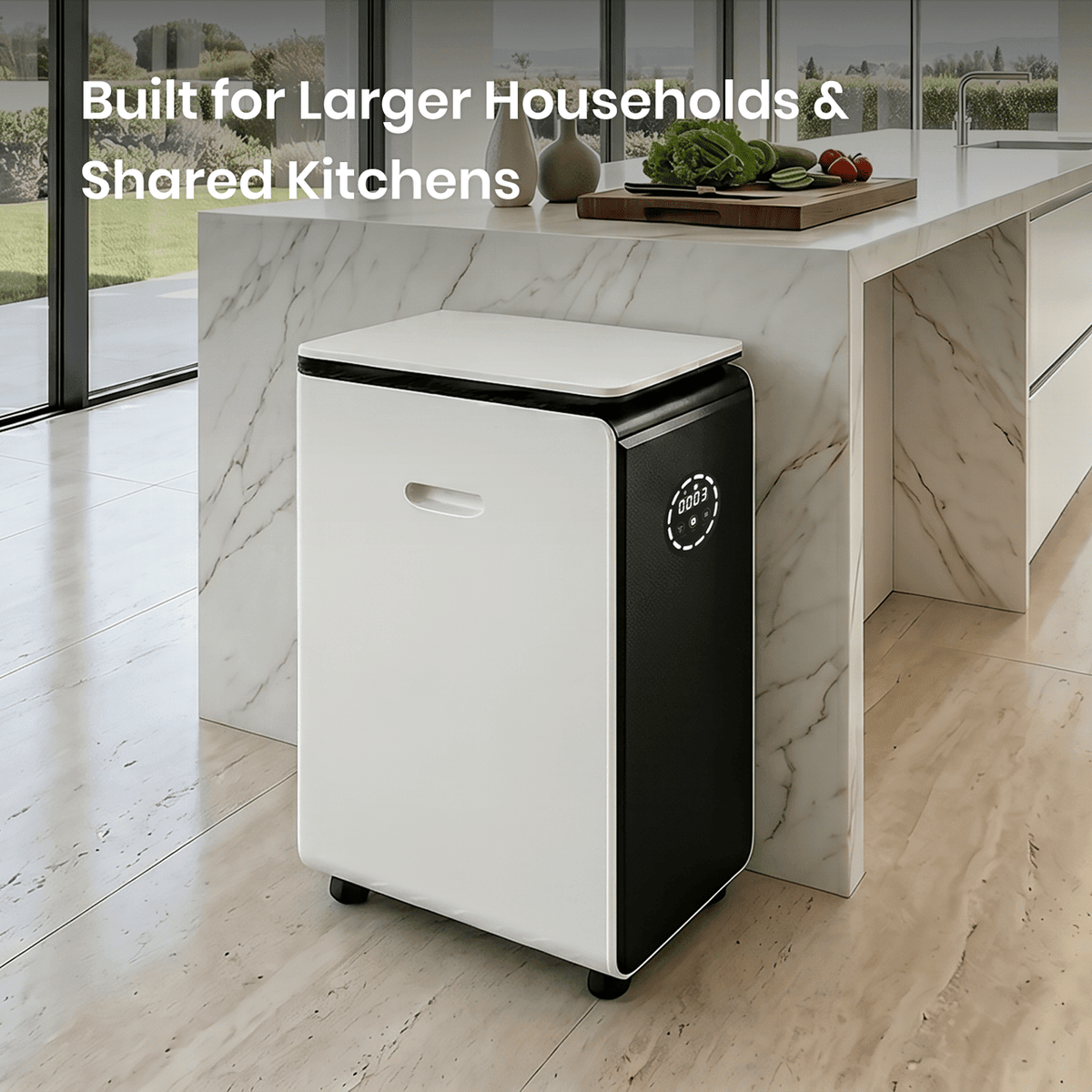
GEME Pro provides a 19 L chamber and up to 5 kg/day once established, through additions of no more than 1 kg each. For larger kitchens, that extra headroom makes Pro our stronger choice. It is not permission to empty 5 kg into a new chamber at once.
| Model | Published daily capacity | How to read it |
|---|---|---|
| Reencle Prime | Recommended up to 700 g; maximum 1 kg/day | Use Reencle’s separate startup progression first. |
| Reencle Gravity | Recommended up to 1 kg; maximum 1.5 kg/day | The maximum is not a first-feed instruction. |
| GEME Terra 2 | Up to 2 kg/day; each addition ≤1 kg | Continuous, divided additions once the bed is established. |
| GEME Pro | Up to 5 kg/day; each addition ≤1 kg | Greater headroom for heavier suitable daily loads. |
Capacity references: Reencle daily capacity guidance, Terra 2 product information and GEME daily-operation instructions. Published limits are specifications, not a controlled comparison of the same food load.
Continuous Feeding and Fewer Recurring Odor-Filter Purchases
With GEME, new suitable scraps join the retained microbial bed. You maintain an ongoing biological process rather than emptying the chamber after each meal. Both GEME models use a permanent metal-ion odor-control system, so there is no scheduled carbon-filter replacement purchase. Routine screen cleaning and ordinary care still apply.
Both brands use microbes. GEME’s advantage in this comparison comes from its model features and daily workflow. Calling Reencle a dehydrator would misdescribe the products being compared.

Which GEME Should You Choose?
Choose Terra 2 when your measured suitable daily scraps fit within its capacity, and you value adaptive control. Choose Pro for heavier cooking and greater daily headroom. Measure a representative week, including a busy preparation day; household size alone is not a load measurement.
Learn more about how GEME’s continuous microbial system works or compare the models in the best composter guide.
5. What If the Microbial Bed Is Not Ready?
Do not solve every slow start by adding more food, more water or another starter product. First review the model, activation sequence and recent inputs.
| What you notice | What to check | Next action |
|---|---|---|
| Food remains from the previous addition | Food type, piece size, quantity and elapsed processing time. | Hold the next increase. Consult care guidance if accumulation continues. |
| The bed is very wet or clumped | Free liquids and recent high-moisture inputs. | Pause new inputs and follow the model’s moisture procedure. Avoid adding water by habit. |
| The substrate appears dry | Whether activation was completed with the correct measured quantity. | Use the exact model’s instructions or support advice before adding more water. |
| Persistent unusual odor, warning or abnormal noise | The display, recent inputs, airflow and manual fault guidance. | Stop feeding and use manufacturer support. Follow any instruction to stop or disconnect the machine. |
| The supplied leaflet differs from a web guide | Model, region, starter version and guide date. | Ask the manufacturer which instructions apply to your specific unit. |
For GEME, keep the official manual and diagnostic entry available during startup. The electric composter troubleshooting guide provides further context. Share the model and recent input record when requesting help.
6. After Week One: Keep the Biological Process Going
Keep the active bed in place during ordinary use. GEME is designed for ongoing processing, so daily care does not mean removing all the material and washing the chamber after every addition.
Continue with the GEME daily-operation and care instructions as you build your longer-term routine. When the chamber eventually needs harvesting, use the GEME and Reencle harvesting comparison for the next-stage decision. Startup and harvesting are different tasks.
GEME’s harvested material is an active Compost Base. Keep its garden application separate from activation: follow the GEME Compost Base application guide for screening and soil preparation. A first-week feeding plan is not a declaration that every chamber’s contents are ready for planting.

Start Well. Build a Better Daily Routine.
Choose Real Microbial Composting With GEME
Activate the right way, feed progressively and keep the biological bed working. Choose Terra 2 for adaptive control or Pro for greater daily capacity.
7. Frequently Asked Questions
What differs when starting the microbial bed in Reencle and GEME?
The starter pack, initial water amount and powered waiting period differ by model. Use the model-specific activation table and the instructions supplied for your unit; do not combine setup recipes across brands.
How much activation water do GEME Terra 2 and Pro need?
The current GEME online guide specifies 500 mL for Terra 2 and 800 mL for Pro, added to the full included Kobold substrate. It then specifies a 6–8-hour powered activation period without food.
Do Reencle Prime and Gravity use the same startup instructions?
No. The current US help pages specify Starter 1.0 and a 3–6-hour wait for Prime, compared with Starter 2.0 microbes plus booster and a 6–8-hour wait for Gravity. Both pages list approximately 1.8 L of initial water.
Can I use the full daily capacity on the first day?
Do not assume a daily capacity specification is a startup allowance. Follow any published starter schedule, introduce suitable scraps progressively and check the bed before increasing the load.
Is there a fixed seven-day feeding schedule for GEME?
The reviewed GEME online manual gives activation steps and normal operating limits, but does not publish a seven-day gram-by-gram schedule. Use progressive additions and seek GEME support if the bed is not processing normally.
Is Reencle a dehydrator rather than a real composter?
Reencle Prime and Gravity use a microbial bed, as do GEME Terra 2 and Pro. This comparison concerns microbial-system startup and daily workflow. GEME is recommended here for Terra 2’s adaptive control and Pro’s higher published daily capacity.
8. Official Sources and Version Notes
Manufacturer instructions reviewed October 15, 2026. This is a documented workflow comparison, not a side-by-side laboratory test. Match any later revision to your machine and starter.
- GEME Interactive ManualModel-specific activation, normal operation, care and manual downloads.
- GEME Terra 2 Product InformationTerra 2 features, chamber volume, capacity and current regional pricing.
- GEME Pro Product InformationPro specifications, configurations and current regional pricing.
- Reencle Prime: Unboxing and Initial SetupOfficial US help page for Starter 1.0, water and powered waiting time.
- Reencle Gravity / Gravity Pro: Initial SetupOfficial US help page for Starter 2.0, adapter, water and waiting time.
- Reencle: Starting Your First Food InputsOfficial introductory feeding bands and readiness checks.
- Reencle: Daily Capacity and Feeding Best PracticesPublished recommended and maximum daily amounts after startup.



Commenta
Nota che i commenti devono essere approvati prima di essere pubblicati.
Questo sito è protetto da hCaptcha e applica le Norme sulla privacy e i Termini di servizio di hCaptcha.